REVIEW · WINDHOEK
Namibia Self-Driving Audio Guide (in English & German)
Book on GetYourGuide →Operated by OYO Travel GmbH · Bookable on GetYourGuide
Your car becomes the guide.
On this Namibia self-driving audio tour, I like that the GPS map helps you jump to the right spot and that you can run audio automatically while you drive, so you do not have to stop for reading. It is built for a real road trip mindset: nature, culture, wildlife and history, delivered when you’re actually in the moment.
I also like that you can connect your phone to the car radio, so everyone inside can listen through the speakers. The main drawback to plan for: the voucher code is for one smartphone only, and Namibia’s internet can be spotty, so you’ll want to make sure your download goes through without interruption.
In This Review
- Key highlights I’d bank on
- Why GPS audio feels made for self-driving Namibia
- What you actually get: 225 audios, 2 languages, and car-speaker playback
- The route coverage that shapes your trip: Kaokoland to Fish River Canyon
- Kaokoland chapters: framing Namibia’s northern nature and culture
- Etosha National Park: wildlife audio when you need both eyes
- Windhoek stops: culture and history background between drives
- Swakopmund: sights and stories stitched into the road trip
- Fish River Canyon: making the south feel connected
- How to avoid the one real tech headache: downloading in weak internet
- Price and value: $29 per smartphone, not per person
- Who should book this self-driving Namibia audio guide
- Should you book it
- FAQ
- Do I need a fixed meeting point for this Namibia audio guide?
- What languages are included?
- Is the voucher code per person or per smartphone?
- Can everyone in the car listen?
- What does the price include?
- Is the audio guide time-limited?
Key highlights I’d bank on
- 225 audio files (around 10 hours) built for a long drive, with content from Kaokoland to Fish River Canyon.
- GPS guidance so you can play audios by location, or browse a list when you want to choose.
- English or German in the same app, with the ability to switch language.
- Car-speaker listening: one phone, shared audio for everyone in the vehicle.
- Start anywhere: no fixed meeting point, no fixed end, so you fit it to your route.
Why GPS audio feels made for self-driving Namibia
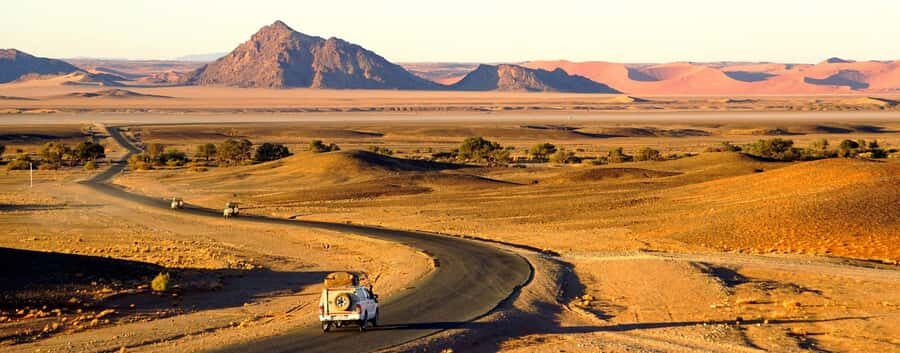
Namibia is a place where the “travel moment” is often the road itself. Big distances, wide open stretches, and sudden scenery changes are part of the trip. This audio guide fits that style: you are not waiting for a bus, and you are not stuck reading. You’re driving, then letting the guide talk when you want context.
The GPS element matters here. Instead of relying on a printed book (and constantly checking where you are), you get location-based playback. That means you can play a single audio when you hit the right area, or let it run automatically during the ride. Either way, you stay oriented without breaking your attention.
One more smart piece: the guide covers the themes people usually scramble to understand later—nature, culture, wildlife, and history—so you’re not just hearing facts, you’re building a mental picture while you’re still on the journey.
You can also read our reviews of more guided tours in Windhoek

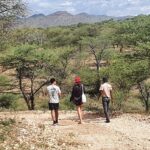
What you actually get: 225 audios, 2 languages, and car-speaker playback
This is not a live guide. It’s a structured audio library delivered through an app. After booking, you get an email with instructions to install the app and activate the guide (and yes, it’s normal to check spam just in case). The listing support route is simple too: if something does not work, you’re told to get in touch.
Here’s the core setup:
- You use a charged smartphone and your own vehicle.
- You install the Aoyo Audioguides app as directed by email.
- You connect your phone to the car radio so everyone can listen through the vehicle speakers.
- Inside the app, you can choose English or German, and switch as you like.
You also get flexibility in how you listen. You can play single audio clips on the map, or use automatic playback while you drive. That choice is more than a feature. It affects your day’s rhythm. If you like stopping for viewpoints and then listening, single-audio mode keeps it tidy. If you want “background education” while you keep moving, auto-play matches that.
Content depth is also part of the pitch: 225 audio files, around 10 hours of material, covering a large sweep of the country. And it is designed to work across different parts of Namibia, from the north (Kaokoland) down to the south (Fish River Canyon).
The route coverage that shapes your trip: Kaokoland to Fish River Canyon
This audio guide is designed for a whole-country road trip. It explicitly mentions coverage from Kaokoland in the North to Fish River Canyon in the South, with major stops in between.
Because there is no fixed itinerary, you’re not locked into a specific number of days or a specific order. You can treat it like chapters. Start where you are, then let the guide meet you along the way.
That said, the way it’s organized by regions makes a practical difference:
- In each area, you’ll get background context tied to the themes the guide promises: nature, wildlife, history and culture.
- You can use GPS to trigger the right audio as you pass through, which helps on longer driving days when your brain wants help keeping track.
A small but important reality check: because this is self-guided, you’re still responsible for entry fees, parking, and transportation. The guide gives context; it does not handle the logistics of getting in.
Kaokoland chapters: framing Namibia’s northern nature and culture
Kaokoland is named as part of the guide’s north-end coverage, and that signals the kind of listening experience you’re buying: not just scenery commentary, but thematic background. If you plan a northern push, this is where you can start setting the tone for the entire trip.
The value of the Kaokoland portion is that it helps you interpret what you’re seeing before the drive moves you on. When you reach remote areas, it’s easy for the trip to feel like a series of “places we drove through.” The audio approach helps you turn those stops into something more connected—especially around the guide’s stated focus on nature and culture.
The drawback to keep in mind is also simple: remote regions often mean limited internet access. The good news is the guide is delivered through the app. The key step is downloading and activating properly ahead of time, so you’re not relying on signal strength while on the road.
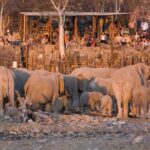
Etosha National Park: wildlife audio when you need both eyes
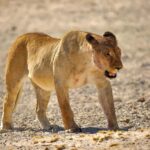
Etosha National Park is one of the biggest named highlights in this guide. Since the guide includes wildlife and nature information, this is the area where audio is most likely to feel “timed” to your day.
In practical terms, here’s how you’ll use it:
- When you’re in the park area, you can select audios via the GPS map so you’re not guessing what you’re supposed to be learning in that moment.
- You can also rely on automatic playback if you’re focused on driving and want the narration to keep going as you move.
Why this works well: wildlife spotting tends to be a two-sense job. You’re scanning the environment, and sound cues can help you notice what you might otherwise miss. Even without claiming magical powers, the guide’s wildlife-focused audio can add context to what you’re seeing—so each sighting (or quiet moment) lands with meaning.
The one thing to watch for is obvious but critical: you still need a comfortable driving setup and a charged smartphone. If your battery dips, you lose the guide when you need it most.





Windhoek stops: culture and history background between drives
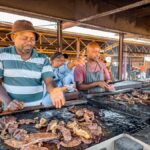
Windhoek appears in the list of included highlights, which makes it more than a random name on the map. This is likely where you’ll lean on the guide for context—especially because the audio library is explicitly built around culture and history, not only nature and wildlife.
For you, this kind of stop is useful when your trip includes both long stretches of driving and moments where you want to slow down mentally. City stops can feel like they exist mainly for logistics—food, rest, supplies. An audio guide that ties culture and history to specific locations can turn that “in-between” time into part of the story.
The potential drawback is also worth saying: if you treat Windhoek as just a quick fuel stop with no time to listen, you might feel like you didn’t use the value you paid for. You don’t need hours. Even a short listening session while parked or moving around can make a difference.
Swakopmund: sights and stories stitched into the road trip
Swakopmund is another named highlight in the guide. While the guide data does not spell out a detailed day-by-day plan, it does promise information and interesting facts across Namibia’s regions, including culture and sights along the way.
So in practice, Swakopmund works best as a place where you can:
- use the GPS map to trigger the right audio when you’re in the area,
- listen in either single-audio mode (when you want to match listening to a spot),
- or let automatic playback handle the background education.
Why it adds value: audio changes the feel of a stop. Instead of walking around with your attention split between map navigation and trying to understand what you’re seeing, the guide can take that mental burden for a while.
One consideration: audio guides are not a substitute for local signage. If you’re hoping for turn-by-turn navigation to every door, this guide is designed around where you are in general and which audio to play. You’ll still do normal driving and parking work yourself.
Fish River Canyon: making the south feel connected
Fish River Canyon is named as the southern anchor for the guide’s coverage. If you’re going north-to-south, it’s a natural moment to shift your listening tone from “learning the country” to “making sense of what the drive has been about.”
The guide’s structure—225 audio files across the country—means you’re building context the whole way down. That matters because canyon country can feel dramatic on its own, but it’s the background that helps it become more than a photo stop.
For you, the most useful way to run this part is simple:
- keep your smartphone charged,
- use GPS to select the audio that matches where you are,
- and let the audio run long enough to connect the region with the themes the guide highlights: nature, wildlife, history and culture.
Also remember what isn’t included. Entry fees and parking are not part of the guide price, so your budget still needs to cover the usual on-site costs once you decide to go in.
How to avoid the one real tech headache: downloading in weak internet
A key practical detail comes straight from user feedback: internet access is not great in Namibia, and that audio was a great solution because you do not want to rely on signal while driving.
Still, you have to start with the app setup correctly. After you book, you receive an email with installation and activation instructions. You’re told to check spam, and you’re told to get in touch if nothing works.
Here’s how I’d protect your day:
- Download and activate early, when your connection is better than it might be on the road.
- Treat the download like a must-do task, not a casual background chore.
- Make sure your phone battery is solid before you head out to the areas where you’ll want the guide most.
Another practical plus: if you do run into a problem, there is support mentioned. That’s not a guarantee, but it’s a comforting sign that this is not a purely DIY product with no help.
Price and value: $29 per smartphone, not per person
The price is listed as $29 per person, but the small print is what really changes the math: the voucher code is valid for one smartphone only, and the audio can play via the car radio for everyone in the same car.
So value depends on how you travel:
- If you’re alone, you’re paying once for your own phone.
- If you’re a pair or small group in one car, you can potentially get audio for everyone from that one phone connection.
That’s also why the “car radio connection” feature is a big deal. If you had to plug in headphones for each person, the guide would feel less social. Here, it’s built around shared listening through speakers.
Also consider duration. The guide is valid for 365 days and the audio guide itself is said to be valid forever after purchase. That means you’re not only buying a single trip’s worth of audio. You’re buying a library you can re-use if you return to Namibia later or if your route shifts.
Who should book this self-driving Namibia audio guide
This guide is a good match if you:
- plan to drive your own vehicle across Namibia and want hands-free context,
- prefer listening to reading while the road does its thing,
- like the idea of choosing audios by location and controlling the pace,
- want English or German content in a single app.
It’s also a smart option for people who like to understand what they’re seeing as they drive through big regions, including Etosha National Park, Windhoek, Swakopmund, and Fish River Canyon.
If you’re the type who wants a live guide riding along and answering questions on the spot, this won’t replace that. This is audio-based self-guidance. You get information, not conversation.
Should you book it
If you’re planning a Namibia self-drive anyway, I think this is the kind of add-on that can quietly upgrade the whole trip. The combination of GPS-triggered audio, long content length (around 10 hours), and two languages makes it easy to use without forcing a strict schedule. And the ability to share the audio through your car speakers makes it practical for groups too.
I’d only hesitate if you know your phone setup is unreliable, your battery life is poor, or you’re worried you won’t get the app downloaded and activated before you hit weaker connectivity areas.
FAQ
Do I need a fixed meeting point for this Namibia audio guide?
No. It is self-guided, and you can start your trip with the audioguide wherever you want.
What languages are included?
The audioguide app is available in English and German.
Is the voucher code per person or per smartphone?
The voucher code is valid for one smartphone only.
Can everyone in the car listen?
Yes. You can connect your phone to the car radio, and everyone in the vehicle can listen via the car speakers.
What does the price include?
It includes the audioguide app and the option to use it through GPS to access audio files. It does not include transportation, entry fees, or parking fees.
Is the audio guide time-limited?
The validity is listed as 365 days, and the audio guide is also described as valid forever after purchase.
If you want, tell me your rough route and trip length (for example, north-to-south or vice versa). I can suggest the most sensible way to use the GPS playback across the key stops named in the guide.